KNX Integration
The WattWächter WiFi/USB can transmit measurement data to a KNX bus system. Three configuration steps are required.
Prerequisites:
- Firmware version 14.1.0 or later
- Working meter script (see Meter Scripts)
- KNX router on the same network
Note
Unstable connections may cause unusual value sizes in the KNX software. Verify all values and use the data preferably for logging rather than control purposes.
1. Configure KNX Parameters
-
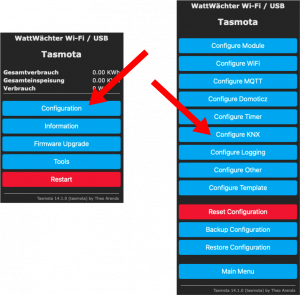
In the web interface, open Configuration → Configure KNX
-
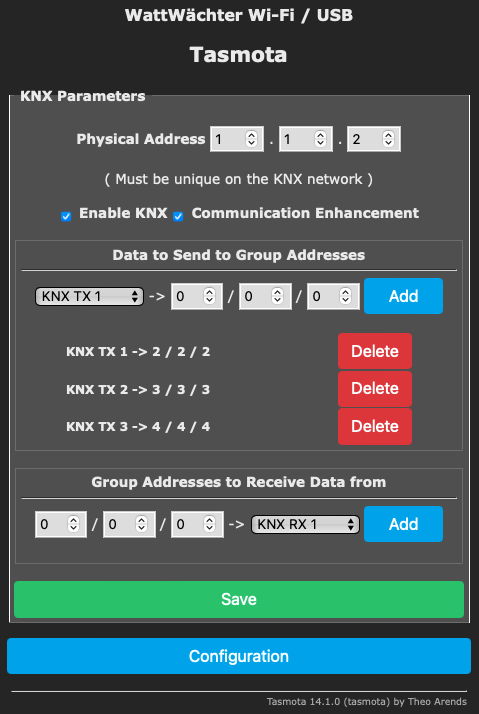
Under Data to Send, configure the measurement values to transmit (up to 5 slots: KNX TX1–TX5)
- Assign a unique group address to each slot
- Set the physical address
- Enable the KNX checkbox
- Enable Communication Enhancement (sends values three times for higher reliability)
- Click Save
2. Extend the Script
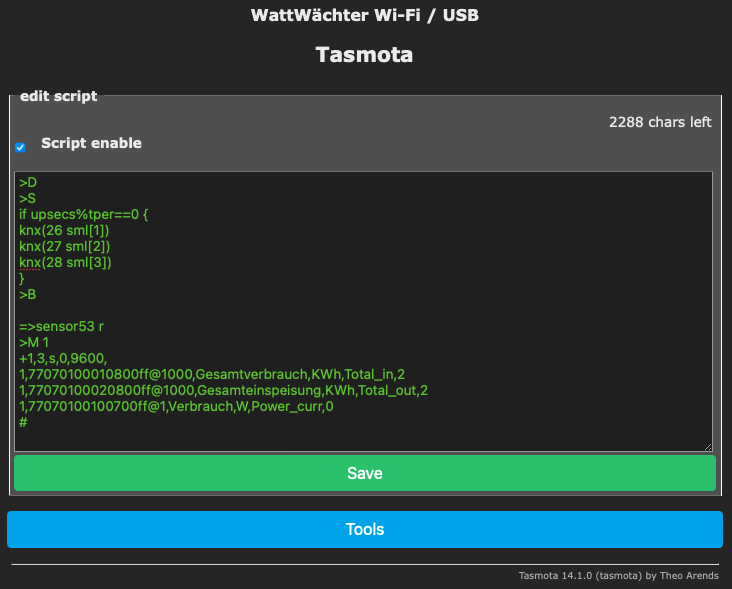
Add the following block to your meter script between >B and >D (via Tools → Edit Script):
>S
if upsecs%tper==0 {
knx(26 sml[1])
knx(27 sml[2])
knx(28 sml[3])
}
Placeholder mapping:
| Placeholder | KNX Slot |
|---|---|
| 26 | KNX TX1 |
| 27 | KNX TX2 |
| 28 | KNX TX3 |
| 29 | KNX TX4 |
| 30 | KNX TX5 |
The variables sml[1], sml[2], sml[3] correspond to the sequentially read meter values.
3. Set Transmission Interval
- Navigate to Configuration → Configure Logging
- Set the Telemetry period in seconds
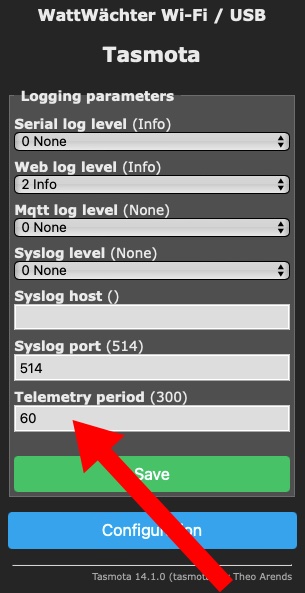
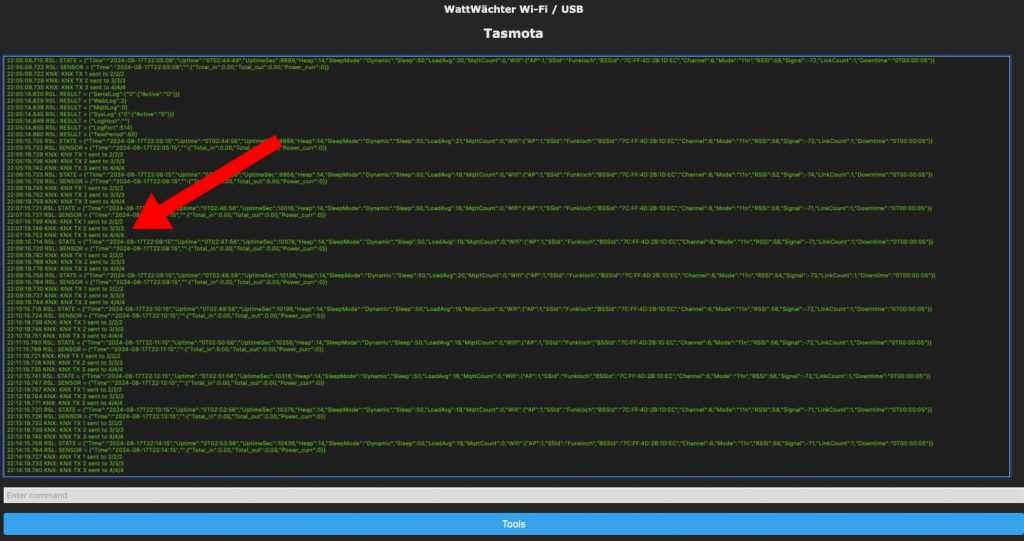
Verification in the Console: