Cloud Portal
The WattWächter Cloud Portal at login.wattwächter.de is the cloud solution for remote access to your energy data.
Features
- Dashboard — Real-time consumption data and history charts
- Remote access — View data from anywhere
- Device management — Manage multiple WattWächter devices in one account
- OTA updates — Trigger and monitor firmware updates
- Settings — Configure device settings remotely
Create an Account
- Open login.wattwächter.de
-
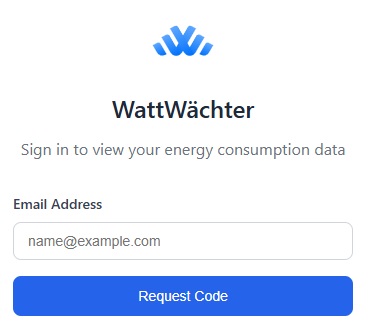
Enter your email address and click "Request code"
-
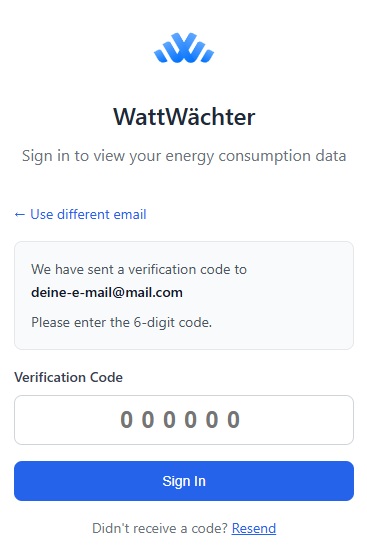
Enter the code received via email
-
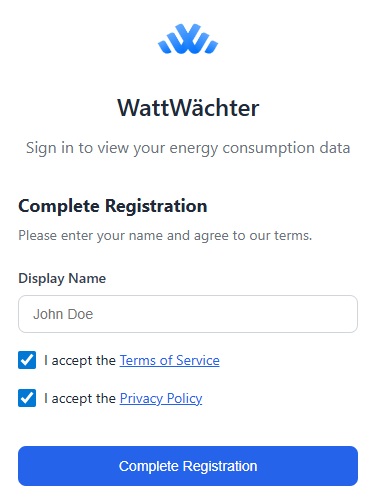
Enter your name, accept the terms of service & privacy policy, and click "Complete registration"
-
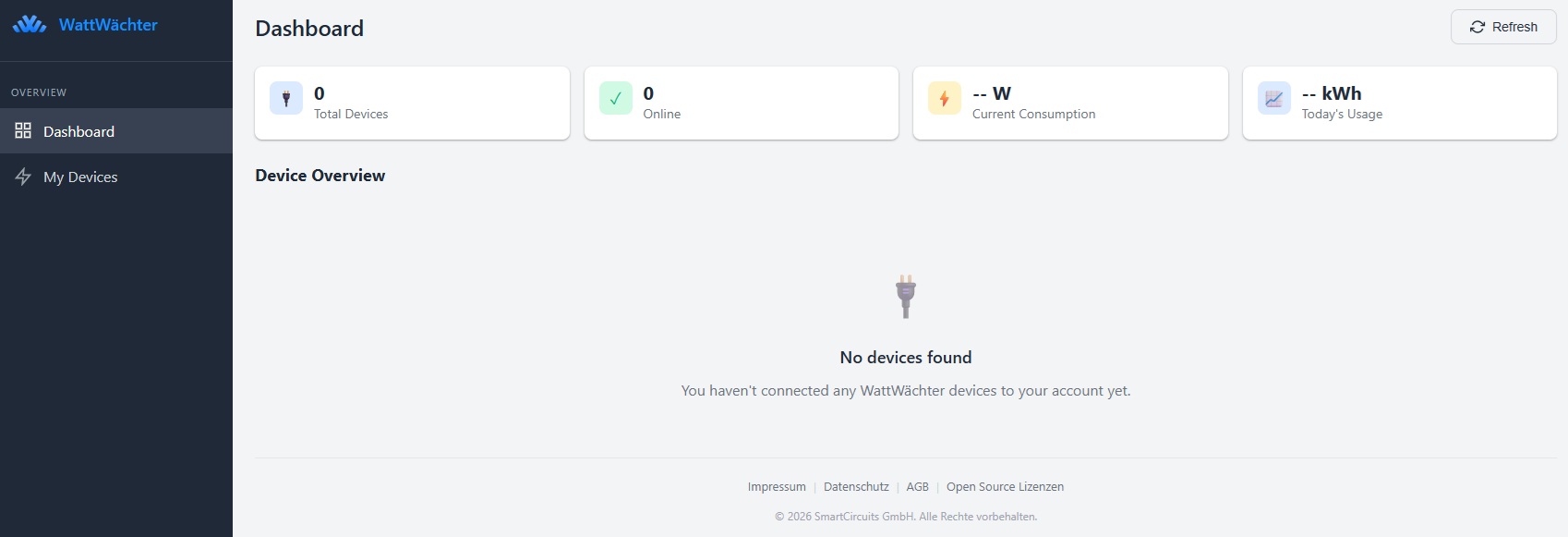
You're now logged in and taken directly to the dashboard
Pair a Device
-
In the portal, click "Add Device" in the top right corner
-
A pairing token is generated (format:
WW-XXXXXXXX)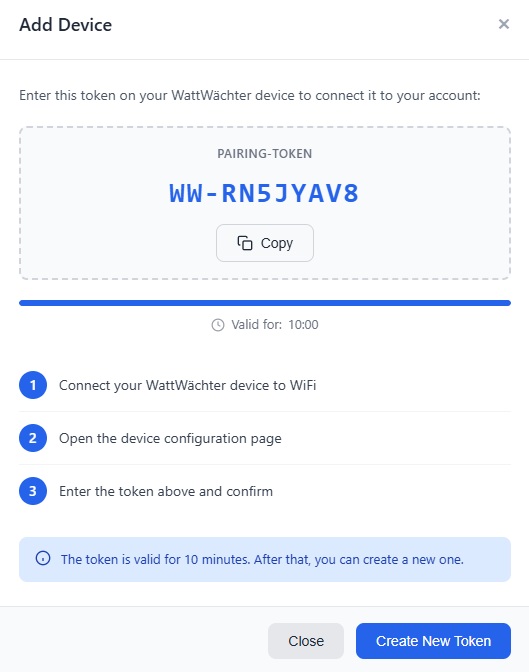
-
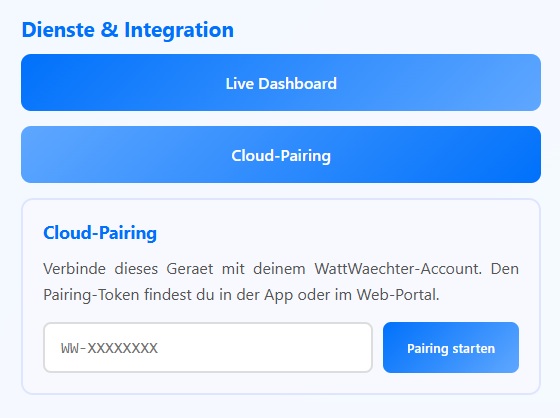
Open the local web interface of your WattWächter. Click on "Cloud-Pairing" in the "Services & Integration" section — an input field will appear. Enter the token and click "Start Pairing".
-
The device confirms the pairing — it appears in the portal
Unpair a Device
To disconnect the cloud connection:
curl -X DELETE http://wattwaechter-XXXXXXXXXXXX.local/api/v1/cloud/pair \
  -H "Authorization: Bearer WRITE_TOKEN"
After unpairing, no data is sent to the cloud. Local access via the mDNS name continues to work.
Privacy
- All data is stored encrypted on the device
- All data is transmitted encrypted (TLS)
- The device only sends meter readings and power data
- No personal data is transmitted
- The cloud connection is entirely optional
- Local operation without cloud is always possible